
ArrivedOn the roadToday
250 Front Street West
Toronto · arrival 11:56Toronto · departure 11:38
+8%
3.12km
0.60kWh
5.20km/kWh
+0.10regen
Understand every kilowatt of your EV directly on your iPhone.
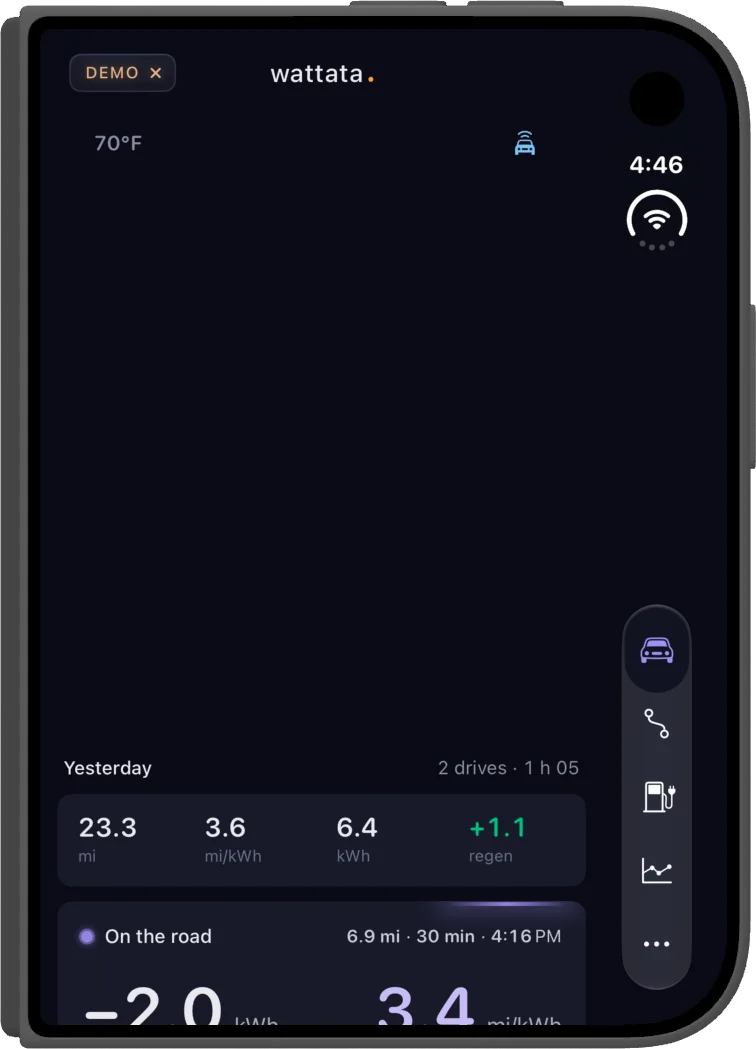
Your car’s screen shows the consumption of the moment, then moves on. wattata keeps every drive and every charge, and makes your electric car easy to read at last, from efficiency to battery health. For calmer driving, a battery that stays in shape and lower costs: you see what drives up your consumption and what each charge really costs you.
It works as two apps. The car app, on its built-in screen if it runs , quietly records while you drive and while it charges. The iPhone app analyzes all of it, with no cloud and no account, turns them into clear numbers and tells you what they mean.
From start to finish: the energy used, your efficiency, regeneration and what it took from the battery. Montréal to Québec City, 250 km: 48 kWh and 5.2 km/kWh, regeneration included.
Your efficiency week after week, what made it change, and where you stand among drivers of the same model.
Ranked on this week’s drives, same climate
At home or on the road: the energy added, the power, the range gained and what it cost. The car plugged in overnight in the driveway: 27.7 kWh, 162 km, $2.40.
Home, Work, or a network you use: each profile carries its price per kWh, fixed or by the hour. Charges made there take it, and each one gets its cost, kWh by kWh. A month exports by profile, for an expense report.
Each kWh takes the price of the hour it went in. When two ranges overlap, the first one wins.
On a Level 2 charger the car’s onboard charger returns about 90% of what it draws: to put 24.6 kWh in the pack it drew 27.3 kWh from the outlet, and that is what the meter bills.
Give it a name and dates: the drives and charges that fall inside gather there, with the trip’s distance, energy and cost. The page reads day by day, and a drive that doesn’t belong comes out with one swipe. With no end date, the trip takes in everything until you close it.
Days
Every drive is logged: the date, the time, from where to where, the distance. Tag your work drives Business and the month exports on its own, ready for your expense report. A business trip comes out as one PDF report, drives and charges together, and everything opens in a spreadsheet too.
Day after day, wattata follows your state of charge, your charging habits and parked drain to estimate the real capacity of your battery.
When a habit costs you kilometers or wears the battery, wattata shows you what it measured and tells you what to change. One tip at a time, at the top of your drives or your charges, and nothing when all is well.
On 5 of your last 7 nights at home, the battery stayed full about 6 h before you left.
Set the departure time to 07:45 in the car: charging will finish just before.
Batteryabout 6 h less full per night
Below 5 °C, your drives under 5 km use 1.8 times more for the same distance than your longer drives.
Grouping short errands, or using the heated seat and steering wheel rather than hot air, keeps most of it.
Savingsup to 45 km of range per month, about $1.40
On 5 of your last 7 nights at home, the battery stayed full about 6 h before you left.
Limit at 80%.
Charges of about 25 points.
No departure above 95% this month.
Short drives in the cold: 1.8 times the consumption of longer ones.
After 10 measured drives (6 so far)
The kWh the car loses overnight while parked, averaged over 30 days.
Set your departure time, wattata works out when to plug in.
How the weather affects your range, tonight and tomorrow.
How far you’ll have driven by December 31 at your pace and, on a lease, by its end, against its mileage cap.
When the next one is due, at your pace, or after 12 months.
Your current drive on the car’s screen.
The car’s charge and range, and your week’s efficiency, on your iPhone’s Home Screen.
Where the car is parked, if you turn the option on.
Got an idea? Suggest it from the app.
What wattata doesn’t do
Two minutes, no account.
On your car’s screen, get the app from Google Play. Your car needs .
Get the app from the App Store.
Scan the code shown in the car with your iPhone. No account: the car and the iPhone link up directly.
No. wattata is an independent app, designed in Québec. The brands are named to say where Android Automotive OS runs, nothing more.
Those whose screen offers Google Play, thanks to . Your car is not on the list? .
No. The car app reads its battery and driving data and records it. It sends the car no commands.
To your iPhone. The analysis happens there, with no cloud and no account. Two options, if you turn them on, send a minimum to our servers: the car’s last position for “Locate vehicle”, and an efficiency summary for the fleet comparison. The details are in the privacy policy.
No. The car app sends what it records to your iPhone over Bluetooth, so wattata works without a connected services subscription. Only the “Locate vehicle” option uses the car’s connection, if it has one.
You scan the car’s code with the new iPhone, and it sends over what it recorded: your drives and your charges.
Your car knows a lot about how you drive. wattata tells you.
For electric vehicles with
We’ll write once, when wattata launches.
You're on the list.